
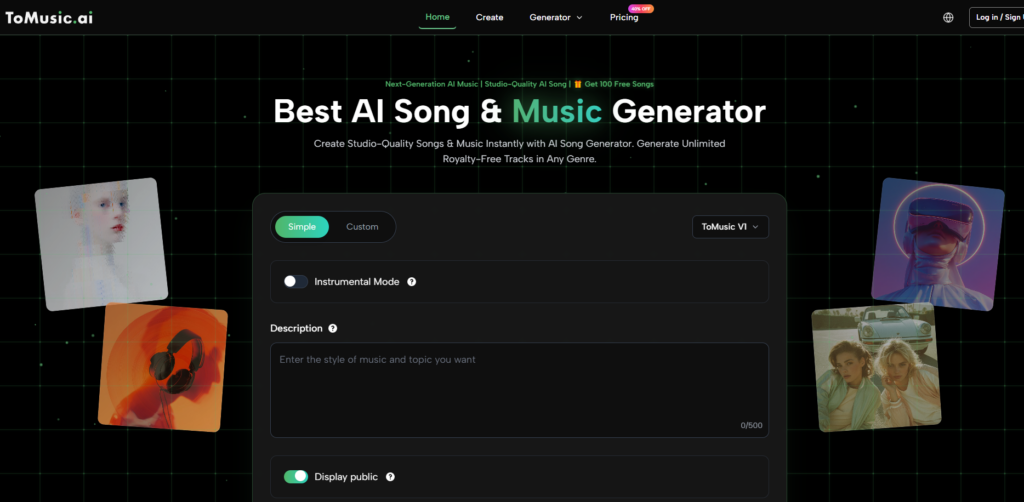
When I agreed to create a weekly background music series for a small YouTube channel, I thought I had the problem solved in an afternoon. I would pick one of the many AI music tools that had been popping up, feed it a batch of prompts, and schedule the exports. What I didn’t anticipate was the quiet, creeping unreliability that turns a five‑minute task into a forty‑minute troubleshooting session. The first time I opened an AI Music Generator, I was actually trying to salvage a session that had failed on another platform. That moment, unglamorous as it sounds, ended up setting the tone for the next three weeks.
The creator economy has normalized a certain level of tool volatility. We accept that a website might go down, that an update might break a workflow, that a new feature might arrive without warning and rearrange the interface. But sound is different. When you are producing content on a schedule, audio inconsistency isn’t a quirk; it’s a red flag that can push a viewer to click away before they even register why. So I set up a deliberately boring test: I would generate three tracks a day across five platforms, using the same stylistic constraints, for twenty‑one days straight. I wasn’t looking for a single goosebump‑inducing result; I was looking for a tool that would show up consistently when I needed it.
The first week was the honeymoon phase. Every platform delivered at least one track that made me think, “This is the future.” Suno gave me a folk‑pop track with a vocal run so clean I checked twice to make sure it wasn’t a pre‑recorded sample. Udio produced an eerie, atmospheric piece that I almost saved for a personal project. But by day five, I started noticing cracks. Suno had introduced a subtle but persistent upsell banner that I had to dismiss every time I returned to the library. Udio’s generation queue would occasionally hang for six or seven minutes without explanation, and once it returned an error after I had already waited. These aren’t dealbreakers for a casual user, but for someone producing a weekly series, they add up to a slow bleed of productive time.
During that second week, I found myself defaulting to one tab when I was simply too tired to gamble. The AI Music Maker became my fallback, and then, without me consciously deciding, it became my primary tool. The transition happened because it was the only platform where I could generate a track, label it, save it to the Music Library, and immediately compare it against yesterday’s version without clicking through a maze of modals. The library itself wasn’t flashy—no waveform visualizations or social sharing buttons—but it listed my tracks by date, let me rename them, and kept them in one scrollable view. For a creator managing dozens of audio files, that basic organizational layer is not a nice‑to‑have; it’s the difference between finishing the episode and losing an hour to file management.
When the Lyrics‑to‑Song Workflow Became the Deciding Factor
My YouTube series was narrative‑driven, which meant the lyrics mattered almost as much as the melody. I needed the AI to respect syllable count and emotional pacing without mangling the text. I ran the same set of original lyrics through the platforms that supported vocal generation and rated how faithfully the output matched my written words, how naturally the phrasing landed, and how much manual cleanup I had to do afterward.
ToMusic AI wasn’t perfect in this regard. On a couple of occasions it skipped a word at the end of a long phrase, and once it added an extra “yeah” that I hadn’t written. But compared to the alternatives, its lyric adherence felt the most predictable. Udio occasionally produced beautiful vocal improvisations that had nothing to do with the input text—creatively interesting, but useless for a scripted piece. Suno nailed the lyrics more often than not, yet the consistency wobbled between sessions; the same prompt could deliver a flawless rendition on Monday and a slightly slurred version on Wednesday.
I compiled the three‑week data into a table that prioritized traits relevant to repeated use. The scores are less about artistic brilliance and more about whether the tool behaved like a reliable colleague.

|
Platform |
Lyric Adherence |
Vocal Consistency |
Library Management |
Iteration Speed |
Interface Cleanliness |
Overall Score |
|
ToMusic AI |
8 |
8 |
9 |
8 |
9 |
8.4 |
|
Suno |
9 |
8 |
7 |
8 |
8 |
8.0 |
|
Udio |
8 |
7 |
6 |
7 |
7 |
6.9 |
|
Soundraw |
N/A |
N/A |
7 |
8 |
8 |
7.7* |
|
Mubert |
N/A |
N/A |
6 |
7 |
7 |
6.7* |
|
Beatoven |
7 |
7 |
8 |
7 |
8 |
7.4 |
*Soundraw and Mubert did not support lyrics‑to‑song generation in my testing window; their scores reflect instrumental consistency and library features only, so the overall numbers are not directly comparable to vocal platforms. I included them because many creators still weigh them for background music workflows.
Suno’s lyric adherence scored slightly higher than ToMusic AI’s because, on its best days, it produced uncannily natural phrasing. But the library management gap was real. Suno’s track history required multiple clicks to reach, and it didn’t preserve my custom labels across sessions. When I’m juggling six versions of the same song for client approval, that friction adds minutes I don’t have.
What the Daily Routine Looked Like Inside ToMusic AI
By the third week, my process had become muscle memory. I would log in, navigate to the custom generation panel, paste the week’s lyrics, and adjust the mood and tempo sliders to match the episode’s emotional arc. The interface remembered my preferred AI music model from the previous session, which saved a few clicks. I learned that for folk and acoustic pop styles, selecting the model designed for vocal tracks tended to yield a warmer, less processed sound, while the other models felt better suited to electronic or ambient pieces.
Library Management as a Creative Tool
The feature I ended up relying on most wasn’t the generation engine itself; it was the Music Library. Every track I created could be saved, renamed, and re‑downloaded without regenerating. I started using the library as a living mood board, grouping tracks by project and appending notes to the filenames like “v2_slower_bridge.” When a client asked for a tweak, I could pull up the exact version they had heard two weeks prior without searching my hard drive. That continuity is the kind of unsexy infrastructure that keeps a freelance career from spiraling into file‑management chaos.
How the Workflow Fits Into a Real Project Timeline
The official ToMusic AI workflow is linear enough that I never needed to consult a help document after the first day. The steps I followed mirrored the platform’s own description:
There was no step where I had to re‑authenticate mid‑session or sit through a thirty‑second video ad. That predictability meant I could stack multiple generations in a single sitting and walk away with a full batch of assets.
Where the Experience Shows Its Edges
After three weeks, the limitations weren’t hidden surprises; they were persistent boundaries that I learned to work around. The vocal models handled English lyrics with reasonable emotional range, but when I tried a track that mixed English and French, the French pronunciation came out stiff, as if read by someone who had studied the language but never spoken it conversationally. For creators working in multiple languages, that’s a constraint worth knowing.
The instrumental output was consistently pleasant but rarely surprising. If you need a track that swerves into dissonance or borrows from a very specific regional folk tradition, you might find ToMusic AI coloring inside lines that feel too safe. I also missed the ability to adjust the mix after the fact—there’s no built‑in stem separation, so you commit to the stereo bounce as delivered. That’s workable for short‑form content, but podcast producers who like to duck music behind voiceovers will need to process the file externally.
The audience that will get the most out of this tool, based on my weeks of testing, includes video editors, content marketers, course creators, and indie game developers who value speed and consistency over boundary‑pushing sound design. It’s not a replacement for a composer, and it doesn’t pretend to be.
What I Kept Thinking at the End of the Month
The tools that generate excitement are rarely the ones that earn a permanent spot in the dock. After twenty‑one days of generating music for a project that had real deadlines and real client ears waiting, I stopped caring about which platform could produce the most cinematic fifteen‑second sample. I cared about which platform would let me finish the work before lunch. ToMusic AI became that platform not because it dazzled me, but because it consistently refused to waste my time.